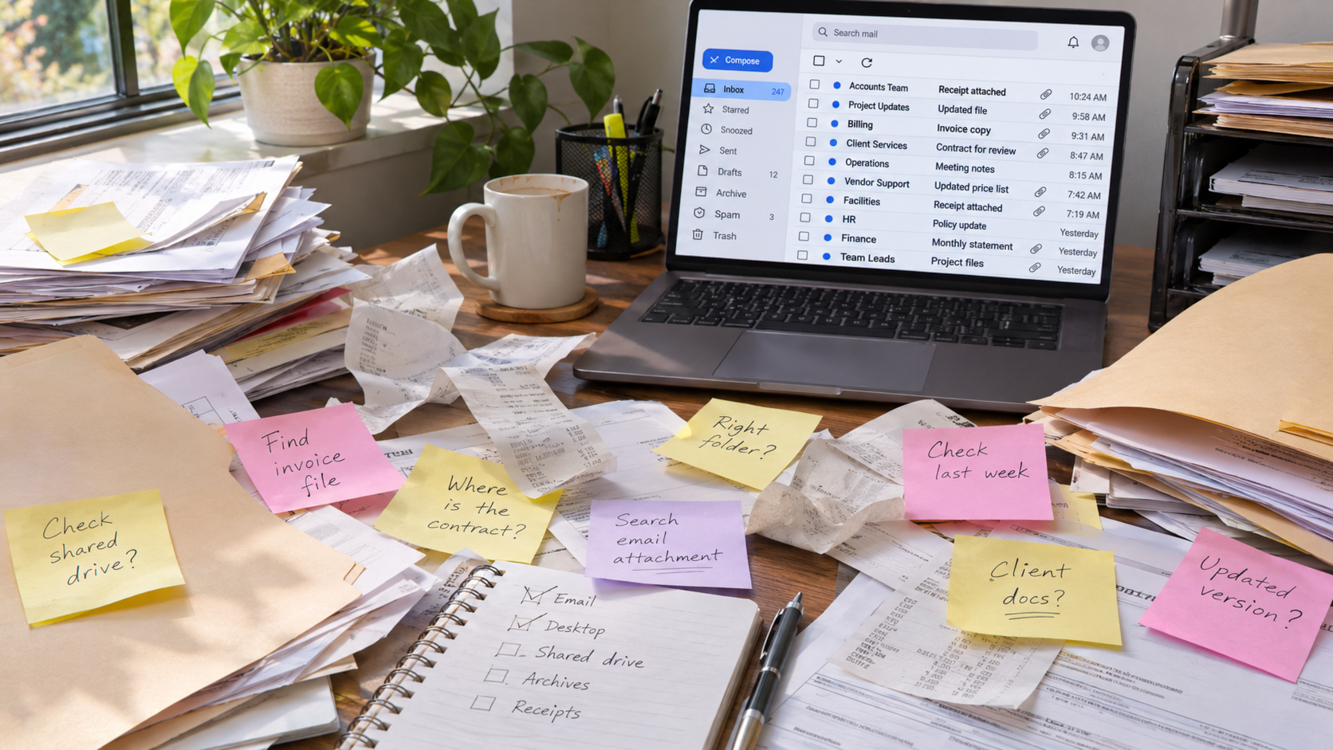
Document organization still gives me a little thrill when I type “printer ink” and the right receipt pops up. I’ve launched several businesses and taught startup classes. If you’re starting a business after 50, a simple filing system can save you time and frustration.
Keep your notes, phone messages, and to-dos in one notebook, scan receipts as they come in, and name each file with the date and a detail you’ll remember.
I could lose half a workday looking for a receipt, a note, or a file I knew I had somewhere. My desk held scraps of paper and Post-its. My email and the shared drive held the rest. Somewhere covered a lot of ground.
I told myself I’d get to work as soon as I found what I needed. I had to admit the mess gave me a handy excuse to put off the job I’d planned.
This article first appeared on Substack, The Ageless Adventurer, November 14, 2026

What the Clutter Cost Me
I paid for business coaching and spent part of that time whining about my disorganization and messy desk. Then I’d go right back to my desk and drop the next receipt wherever I found room.
I could have gotten some of that time back by deciding where each document belonged while I still had it in front of me.
Give Paper One Place to Go – Document Organization
I started with my notes. One notebook gives me a place to jot down what a client needs or what I promised to do next. A plain journal works fine. I now use a 5×7” book that fits neatly into my purse or bag and keep a pen handy.
When a receipt comes in, I scan it, name the file, and save it in its folder. Then I open the saved copy to make sure I can read it. Only then do I write “scn” for “scanned” in the upper right corner of the original. If the phone rings, that little mark tells me where I left off.
Caution: Do not write “scn” before you actually do the deed. Surprisingly, with all the interruptions in a day, it’s very easy to forget which step you have completed.
I file the originals I need to keep. Papers I can discard go into a box by the shredder. It works like the trash bin on my computer. If I need to fish out a receipt, I know where to look. I shred what’s in the box regularly.
I seldom need to go back and retrieve a document. But this policy is my backup plan when I can’t quite shred it into oblivion in the first go.
I save the scan in my Receipts folder and add a copy to QuickBooks. I may earn a commission if you buy through this link at no cost to you.
Name Files So You Can Find Them – Document Organization
Start with a few folders that match the way you work. Try Receipts, Client Work, and Photos. When a client emails a contract, save it in that client’s folder while the message is still open.
Think about what you’d type in the search box a few months later. For a receipt, you might remember the store or what you bought.
A name like 2026-10-08_Staples_PrinterInk.pdf gives you both clues. Put the year first, then the month and day, so the file names sort in date order.
Use the same idea for photo folders. A name like 2026-10-08_Bend_Downtown.jpg tells you when and where you took the photos. Pick words that come to mind when you think of the shoot.
At first, I had to slow down and think about how to name each file. With practice, I could pull up a receipt or a photo in seconds. I like to say I never lose a digital file, but that would be bragging.
Show Your Team Where Files Go – Document Organization
Try finding a file you saved last month. If you work with someone, ask them to find it, too. If you lead a team, follow the filing rules you ask everyone else to use. If the latest contract lives on your desktop, your team has to ask you for it. Save it in the shared folder where everyone knows to look.
In your operations manual, write down where contracts go and give one example of how to name them. Then ask a teammate to find a file you saved. If they have to ask where it went, use their question to clarify the instructions.
I help business owners set up filing systems that fit the way they work. If you want help setting up your files, I can walk you through where to put receipts, contracts, and client notes.
What did you have to stop and hunt for this week? A paper receipt, a photo, or a file on the shared drive? Tell me in the comments.
Learn how to avoid creating a stressful corporate atmosphere with this article: The Solopreneur Trap: How To Build Freedom, Not Another 9-5